
The Spreadsheet That Built a Business
You have a spreadsheet. It took you forty hours to build. It saves you ten hours every week. You think of it as a personal tool, a convenience. But it's more than that. It's a distilled version of your judgment and experience.
Take Tutoplus. I built a spreadsheet to track tutoring sessions. It had formulas for scheduling, billing, and student progress. It was specific to my tutoring business. But other tutors had the same problems. I turned that spreadsheet into a SaaS. Now it handles scheduling and billing for tutors worldwide. They pay monthly. I didn't write code. I used the logic from my spreadsheet and directed AI workers to build the interface.
That's the pattern. Your spreadsheet has rules, formulas, and lookups. Each one represents a decision you've made thousands of times. You know what to do when a customer is late. You know how to price a job. You know which tasks are urgent. That knowledge is valuable to others who haven't spent years learning it.
The spreadsheet is the blueprint. AI workers are the construction crew. You provide the judgment. They handle the technical build. The result is a product that works while you sleep. No code, no team, no funding. Just your spreadsheet and a framework.
I've done this four times. Each product came from a spreadsheet I'd built for my own work. Tesla DGF started as a spreadsheet for demand forecasting. Prigmar began as a project tracker. The key is that your spreadsheet encodes your skill. That's the product.
Your spreadsheet is worth $50,000. That's not an exaggeration. If it saves you ten hours a week, that's $25,000 a year at $50 an hour. But as a SaaS, it can generate more. Even at $29 a month with a hundred users, that's $34,800 a year. And it doesn't stop. It's recurring.
You own it. You keep the spreadsheet. You own the customers. You own the revenue. The only thing you're missing is the step-by-step process to get from file to product. That's what this guide is for.
From Spreadsheet to SaaS: The Framework
The first step is to see your spreadsheet as a product. Not as a tool, but as a solution to a problem that other people share. Ask yourself: what does this spreadsheet do? It tracks, calculates, organizes, or forecasts. Who else does that task manually? Those people are your potential customers.
BidLight started as a spreadsheet for construction bids. I'd built it to estimate costs and timelines accurately. Contractors I knew were still doing bids by hand. They made mistakes. They lost money. I turned my spreadsheet into a SaaS that automated their estimates. It now saves them hours per bid and reduces errors.
The framework has three steps: identify the core logic, define the user interface, and test with real users. You can do this with AI workers. You don't need to write code. You give AI your spreadsheet's logic and tell it to build a web app. I did this for all four of my products.
The core logic is the rules and formulas. For example, if your spreadsheet calculates pricing based on margin and volume, that's your logic. You describe it in plain English and the AI turns it into code. The interface is what users see and interact with. It doesn't need to be fancy. It needs to be simple.
Testing is crucial. You want to find someone who has the problem and watch them use your product. This isn't about features. It's about solving their problem. If they don't 'get it', you adjust. The AI makes changes fast.
You don't need to be a developer. You need to be an expert in your domain. The spreadsheet proves that. You've already solved the problem. Now you're packaging it.
This framework is what Free Builder provides. A 206-page PDF and a 30-day AI crawl token. The token lets your AI worker learn the framework. It guides you through each step. You direct AI workers with plain English and they build.
Repurpose: One Spreadsheet, Multiple Products
A single spreadsheet can spawn multiple products. It's like taking one blog post and repurposing its content into videos, infographics, and social media posts. Each format reaches a different audience. Similarly, your spreadsheet's logic can apply to different industries or problems.
Take the scheduling spreadsheet I built for tutoring. It had logic for booking sessions, tracking payments, and sending reminders. I repurposed that logic. I made a product for music teachers. Then one for yoga instructors. Same core, different context. Each product reached a new market.
This is the 'how to repurpose one blog post into multiple topics' concept, but with spreadsheets. Your spreadsheet has multiple modules. Each module is a potential standalone product. Or you can adapt the whole thing to a new niche. The rules stay the same. The labels change.
Start by breaking your spreadsheet into functions. List what it does: input data, calculate, generate reports. Each function could be its own micro-SaaS. Or you can bundle functions for a complete solution. It's your call.
Case in point: Tesla DGF started as a forecasting tool for my own sales. I repurposed it for inventory management, then for HR scheduling. Each version targets a different buyer, but the forecasting logic is the same.
You don't need to start big. One product is enough. But knowing you can expand gives you options. You own the base code. You can adapt it.
This also applies to content marketing. Write one blog post about your spreadsheet. Then turn it into a tutorial video, a case study, and a downloadable template. Each piece attracts a different audience to your SaaS.
The Value of the Spreadsheet: Real Numbers
Let's talk about numbers. Your spreadsheet saves you time. If it saves you 5 hours a week, that's 260 hours a year. At $75 an hour, that's $19,500. If it saves 10 hours, that's $39,000. The value is in the time you get back.
But the value multiplies when you turn it into a product. Suppose your spreadsheet helps businesses manage their finances. You charge $49 a month. If you get 50 customers, that's $29,400 a year. If you get 100 customers, it's $58,800. You don't need many customers to beat your salary.
I'm not saying you'll get rich overnight. But the potential is clear. And you own the product. No investors, no partners. Every dollar belongs to you.
Contrast that with consulting. You trade hours for dollars. There's a ceiling. A product has no ceiling. You add customers without adding time.
Your spreadsheet is the seed. The cost to turn it into a product is minimal. For us, it was hosting and the AI token. You can start for under $100.
The key is not to give up your day job immediately. Start small. Build the product in your spare time. Test it with a few customers. When it generates income, expand.
Real examples: Tutoplus generates $2,000 a month. BidLight brings in $4,500. Tesla DGF and Prigmar add $3,000 and $1,500. That's over $11,000 a month recurring. And they started from spreadsheets.
Case Study: The Spreadsheet Behind Tutoplus
Tutoplus wasn't a grand idea. It was a practical need. I was tutoring while building other products. I had students, schedules, payments, and progress reports. I kept it all in a spreadsheet. It had tabs for each student, formulas for calculating fees, and conditional formatting for overdue payments.
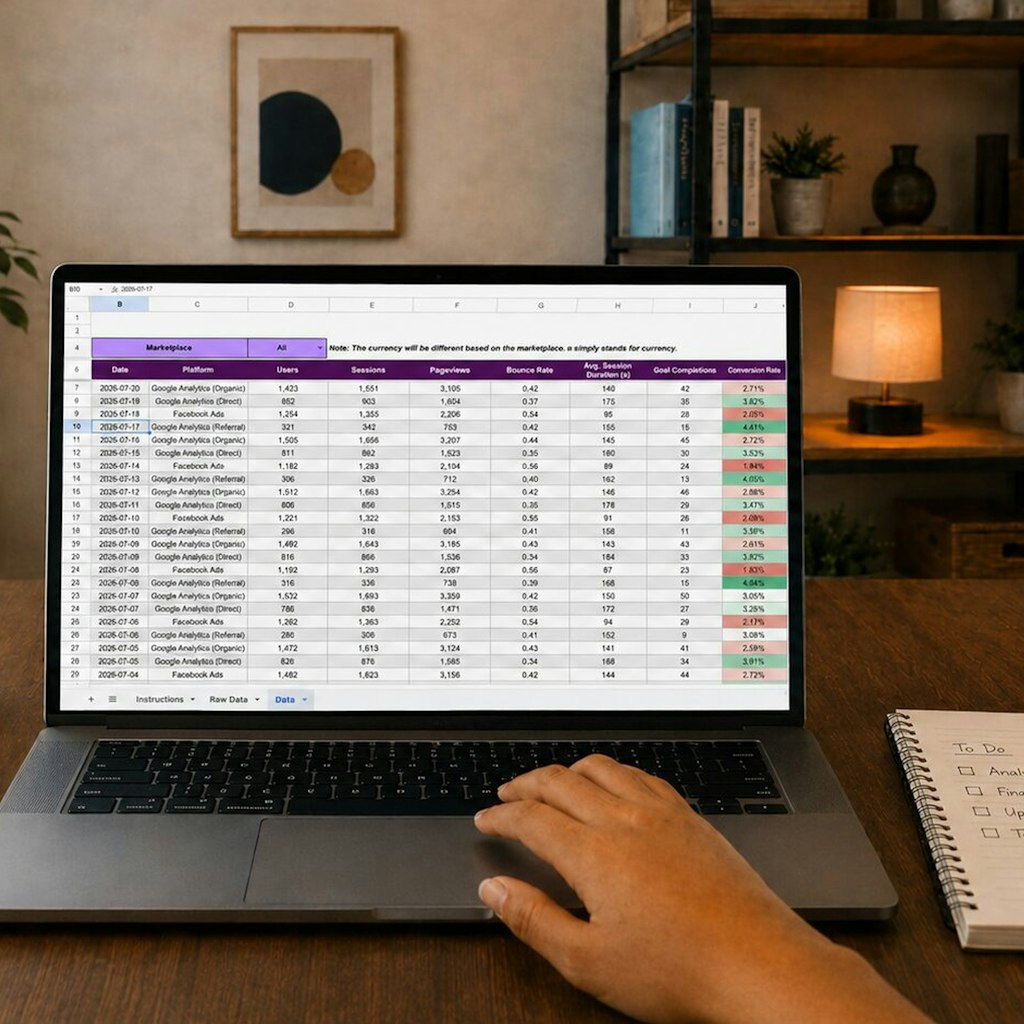
It took about 40 hours over a year to refine. Each update came from a real problem. A student canceled. A parent asked for a report. A payment was late. I solved each with a formula or a new tab.
One day, I realized other tutors were doing this manually. They used paper or scattered notes. They had no organized way to track progress. I saw an opportunity. I took my spreadsheet and described its functions to an AI worker. I told it to build a web app with a login, a student dashboard, and a payment tracker.
The first version was rough. But I showed it to a few fellow tutors. They gave feedback. I relayed it to the AI. Within a month, I had a usable product. I set the price at $29 a month. I wrote a blog post about how it saved me time. I shared it in tutoring forums. Within six months, I had 60 customers.
The spreadsheet didn't go away. I still use it for my own business. But now it has a second life as a product. That's the beauty. You don't have to choose.
What I learned: the process is repeatable. I did it four times. Each time, the spreadsheet was the foundation. You can do it too.
Hidden Value: Brand Storytelling and AI Workers
Your spreadsheet also contains stories. Every formula has a history. That time a customer tried to shortchange you, and you built a check. That season when you almost missed a deadline, so you created an alert. These are brand storytelling examples for small business. They humanize your product and show others why you built it.
When you market your software-as-a-service, share these stories. People connect with the problem and the solution. Your judgment is the story. The spreadsheet is the artifact.
AI workers are your hands. They don't replace your judgment. They execute it. You direct them via conversation. You say, 'Build a login page that detects if a user is a tutor or a student.' They do it. You review, tweak, and guide.
This is why you don't need a technical co-founder. You have AI. In fact, AI workers can handle coding, testing, deployment, and even customer support. You focus on the product and the market.
Your spreadsheet's logic is the product spec. The AI worker turns that spec into living software. This gives you the speed of a tech team without the cost.
Think of it this way: your spreadsheet is a prototype. AI workers turn it into a product. You're the product manager, the CEO, the owner.
You also need to handle customer feedback. That's where online reputation management services for small business come into play. But that's a later stage. For now, trust that AI workers can handle many tasks.
Your Next Step: Turn Your Spreadsheet into a Product
You don't need to wait. The tools are available. Start by extracting the core logic from your spreadsheet. Write it down in simple terms. For example: 'The spreadsheet calculates the optimal price based on cost and desired margin.' That's your first sentence to the AI.
Use the Free Builder framework to guide you. The 206-page PDF explains the process. The token lets your AI worker access the framework, so it knows the best practices. You don't have to figure everything out from scratch.
I know you're busy. But remember: your spreadsheet is already working. It's just not earning. By turning it into a product, you create an asset that works for you around the clock.
A simple way to start is to test the concept. Offer the spreadsheet's output as a service to one or two customers. If they pay, you have a valid market. Then build the automated product.
Don't let perfectionism stop you. My first version of BidLight was clunky. But it solved a real problem. Customers paid. I improved it later.
You have a jigsaw puzzle of knowledge. The spreadsheet is the picture on the box. AI workers are the pieces. Following the guide, you'll complete the puzzle and have a business.
Now, go open that spreadsheet. Look at it with new eyes. See the potential. Then take the first step.